
Quick answer: If your solar battery is not holding a charge after a full day of sun, the most likely causes are an ageing battery that has lost capacity, corroded or loose terminals, low water levels in a lead-acid battery, a charge controller that is not set up correctly for your battery type, or panels that are shaded, dirty or underperforming. Start with the easy checks: look at your charge controller or monitoring app to see whether the battery is actually reaching full charge during the day, check the terminals for corrosion, and compare the battery voltage in the evening with what it was first thing in the morning. If the battery charges fully but then drops quickly under a normal evening load, the battery itself is probably worn out. If it never reaches full charge at all, the problem is more likely in the charging side — panels, wiring or the charge controller.
Table of Contents
- What “Not Holding a Charge” Actually Means
- First Check: Is the Battery Charging at All?
- Cause 1: An Ageing Battery That Has Lost Capacity
- Cause 2: Corroded or Loose Terminals
- Cause 3: Low Water Levels in a Lead-Acid Battery
- Cause 4: Charge Controller Problems or Wrong Settings
- Cause 5: Panels Not Producing Enough Power
- Cause 6: The Load Is Bigger Than You Think
- Cause 7: Temperature Problems
- Step-by-Step Troubleshooting
- How to Test Whether the Battery Is the Problem
- Safety Reminders
- When to Call a Professional
- FAQs
- Conclusion
What “Not Holding a Charge” Actually Means
When people say a solar battery is “not holding a charge”, they usually mean one of two different things, and the fix depends on which one it is. The first is that the battery never reaches a full charge during the day, even when the sun has been out all day. The second is that the battery does reach full charge by the evening, but then runs flat far sooner than it used to — sometimes within an hour or two of sunset.
These two symptoms point in different directions. A battery that never gets full is usually a charging problem: the panels, the charge controller or the wiring between them are not delivering enough power. A battery that charges fully and then drains fast is usually a battery problem: it has lost capacity through age, sulphation, deep discharging or damage, so it simply cannot store as much energy as it once did.
Working out which one you have is the most useful first step. Check your charge controller display or monitoring app at sunset. If it shows the battery at or near full, but the battery is flat by 9 pm under a normal evening load, the battery is the prime suspect. If it shows the battery only partly charged at sunset after a bright day, the charging side needs attention first.
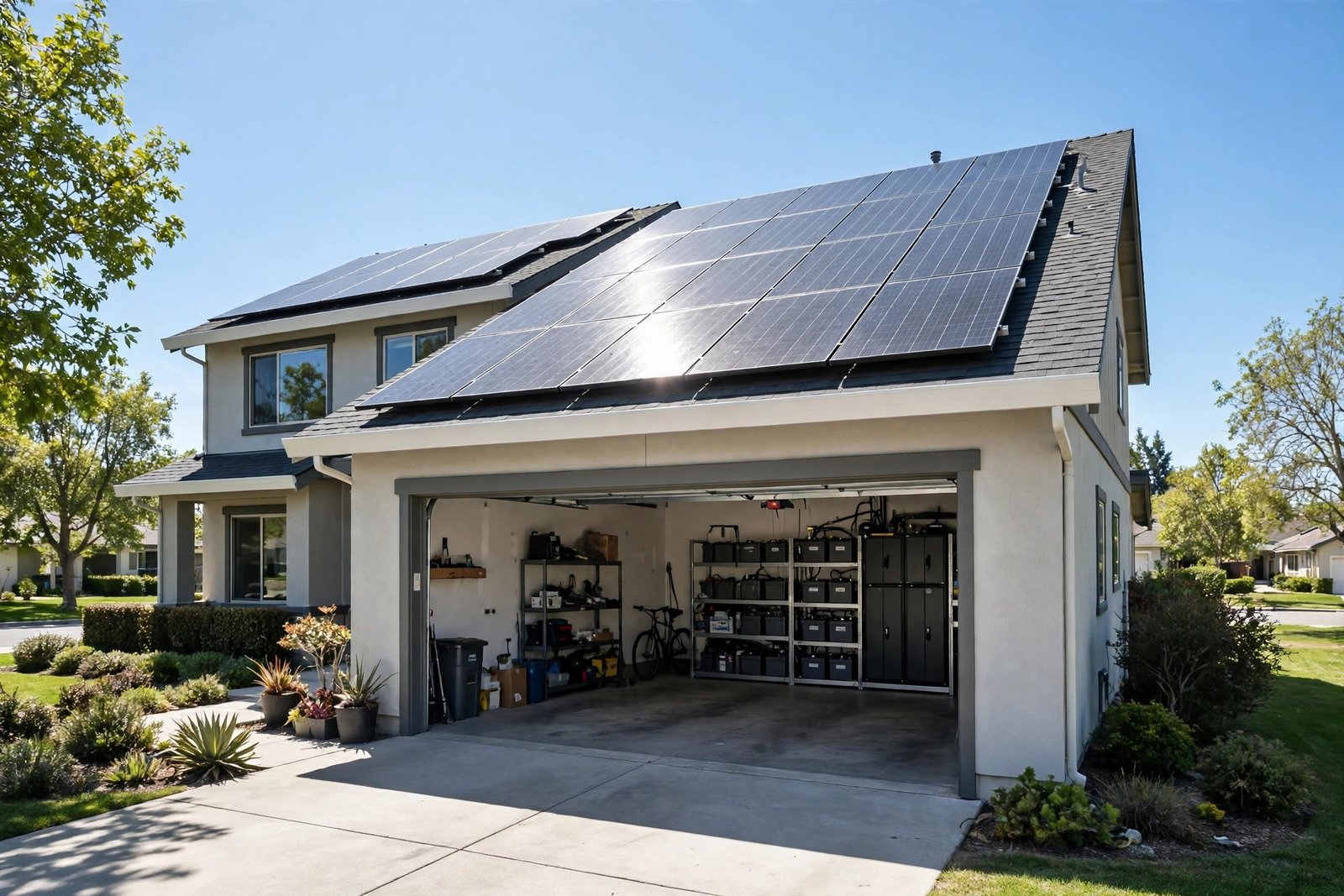
First Check: Is the Battery Charging at All?
Before you touch anything, spend five minutes gathering information. Guessing wastes time and can lead to replacing a battery that was never the problem.
First, look at the charge controller. Most controllers show the battery voltage, the charging stage (bulk, absorption or float) and sometimes the current flowing in from the panels. Around midday on a sunny day, a healthy system should be pushing a good current into the battery, and the controller should be in bulk or absorption charging. If the controller shows little or no current from the panels at midday, the panels or the wiring are the place to look.
Second, check your monitoring app if you have one. Compare today’s solar production with a similar sunny day in the past. If production is much lower than it used to be, the panels are underperforming. If production is normal but the battery still runs flat early, the battery is the problem. If you do not have monitoring, a simple note of the battery voltage at sunset and again before sunrise, taken over two or three days, tells you a lot.
Third, check the obvious: is anything different? Has a tree grown over the panels, has a new building gone up nearby, or has a panel been left dirty after a dusty spell? Has a new appliance been added to the house — a second fridge, a heater, a tumble dryer running in the evening? Many “battery” problems turn out to be a load that quietly grew while nobody was watching.
Cause 1: An Ageing Battery That Has Lost Capacity
This is the most common cause, and also the one nobody wants to hear. Every rechargeable battery loses capacity as it ages. Lead-acid batteries typically last 3 to 7 years in a solar system, and lithium batteries 10 to 15 years, but heavy use, deep discharges and hot storage can shorten those figures considerably. A battery that has lost half its capacity will charge to what looks like “full” — the voltage rises normally — but it holds only half the energy, so it runs flat in half the time.
Ageing is not always steady. A lead-acid battery can work reasonably well for years and then decline quickly once sulphation — a build-up of lead sulphate crystals on the plates — takes hold. This is especially common in batteries that have spent long periods partly charged, or that have been regularly discharged very deeply. Lithium batteries age more gracefully, but they still lose capacity, and a faulty cell inside a lithium battery pack can drag the whole pack down.
Signs that age is the cause include a battery that is near or past its expected lifespan, backup time that has shortened gradually over months rather than suddenly, and a battery that reaches full voltage quickly in the morning and then drops quickly in the evening. If your battery is old and the charging side checks out, replacement is usually the honest answer. See our guide on how long a solar battery should last for the lifespan of each battery type and the signs of failure.
Cause 2: Corroded or Loose Terminals
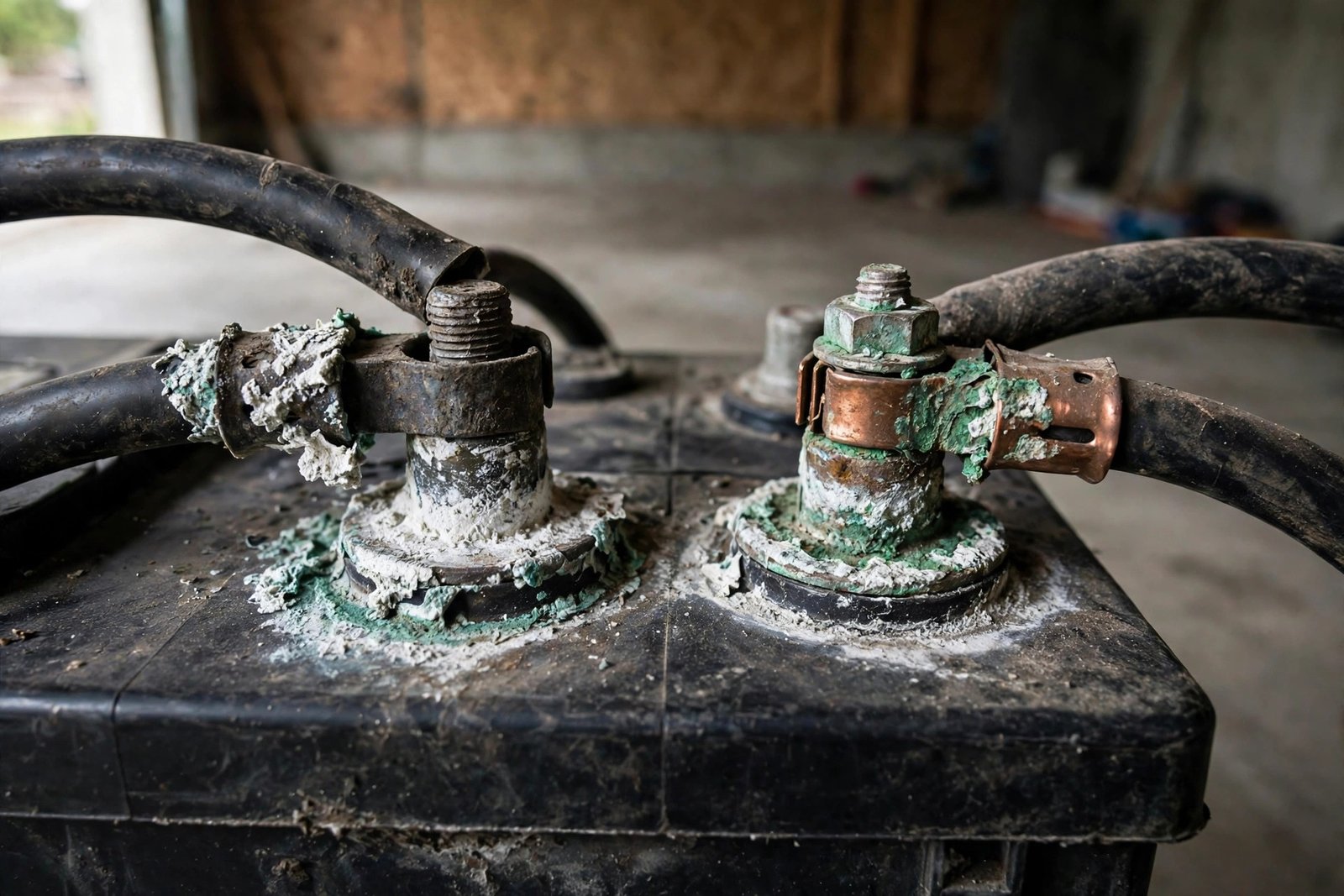
Corrosion on battery terminals is a small problem with outsized effects. A layer of white, green or blue crust on a terminal adds resistance to the connection. That resistance does two things: it reduces the charging current reaching the battery, so the battery never gets fully charged, and it causes a voltage drop under load, so the system thinks the battery is flatter than it really is and may shut down early.
Loose terminals cause the same symptoms and can be worse — a loose connection can arc, heat up and melt the terminal post. Check every terminal by hand (with the system isolated first if you are going to touch anything — see the safety section below). A terminal that moves when you wiggle it is too loose. Corrosion is visible as a crusty or powdery build-up around the posts and cable lugs.
Cleaning terminals is one of the simplest and most effective fixes in solar maintenance. It is covered in detail in our guide on how to clean solar battery terminals and prevent corrosion. In short: isolate the system, disconnect the cables, clean the posts and lugs with a wire brush and a baking soda solution, dry them thoroughly, reconnect them firmly, and apply a thin coat of petroleum jelly or terminal protector. Then watch whether the battery charges properly over the next few sunny days.
Cause 3: Low Water Levels in a Lead-Acid Battery
If you have a flooded lead-acid battery — the type with removable caps on top — low electrolyte levels are a classic cause of poor charging. When the water level drops below the top of the plates, the exposed part of the plates dries out and is permanently damaged. The battery then has less active plate area, so it holds less charge, and it may also heat up and gas more during charging.
Water is lost naturally during charging, especially in hot weather or when the charge voltage is set too high. Many owners simply forget to check, and by the time the battery starts running flat early, the damage is done. Checking the level takes a few minutes: remove the caps, look inside each cell, and top up with distilled water only — never tap water, which contains minerals that damage the plates. The correct level is usually just above the plates, or to the marker inside the cell if there is one.
Our guide on lead-acid solar battery water levels explains the full process, including when to top up and what to do if a cell is already dry. If the plates have been exposed for a long time, topping up will not restore the lost capacity, but it will stop further damage. Also consider an equalization charge afterwards — see our guide on equalization charging for lead-acid solar batteries — which can help reverse early sulphation if it is done correctly and only when the manufacturer allows it.
Cause 4: Charge Controller Problems or Wrong Settings
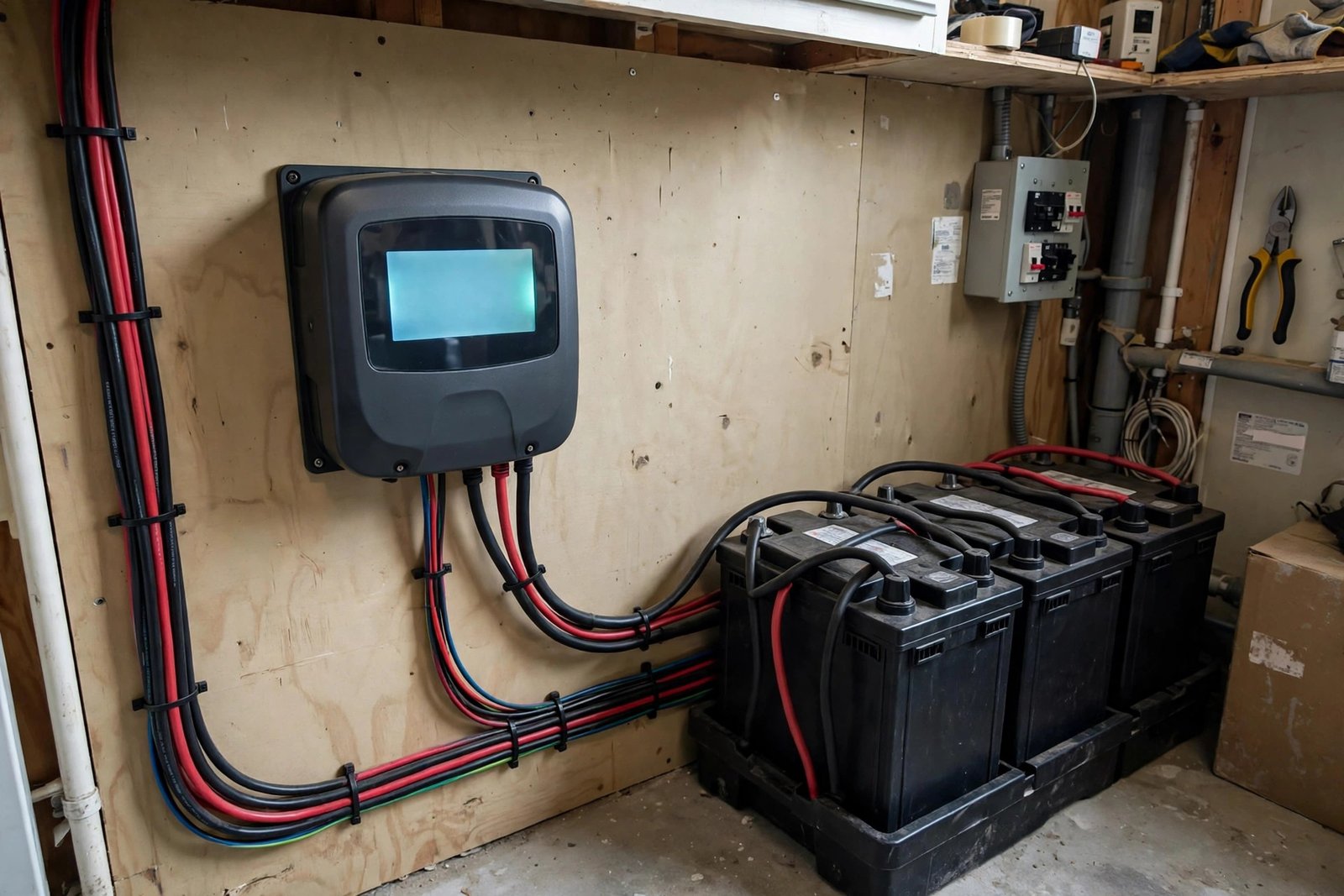
The charge controller sits between your panels and your battery, and it decides how the battery is charged. If it is faulty, or if it is set up for the wrong battery type, the battery may never get a proper full charge even on a perfect sunny day.
The most common settings mistake is a controller set to the wrong battery type. Lead-acid and lithium batteries need different charging voltages, and a controller set to “sealed lead-acid” while charging a lithium battery — or the other way round — will either undercharge or overcharge the battery. Undercharging leaves the battery partly charged every day, which looks exactly like a battery that will not hold a charge, and over time it damages lead-acid batteries through sulphation. Check the controller’s battery-type setting against what is printed on your battery or in its manual, and correct it if it is wrong.
Other controller problems include a controller that is too small for the panel array, so it limits the charging current on bright days; a controller with a blown fuse or a damaged connection; and a controller that has gone into a fault or protection mode. Check the controller’s display and any error lights, and check its manual for what the indicators mean. A controller that shows no input from the panels at midday, while the panels themselves test fine, has probably failed or has a wiring fault between the panels and the controller.
Also check the charge voltage settings themselves. If the absorption voltage is set too low, the battery will stop charging before it is really full. If you have changed batteries recently — for example, replacing lead-acid with lithium — the controller settings must be changed to match, or the new battery will never charge properly.
Cause 5: Panels Not Producing Enough Power
Sometimes the battery is fine and the charge controller is fine, but there simply is not enough power coming from the panels to fill the battery. A full day of sun does not help if the panels are only producing a fraction of what they should.
Common reasons include shading, dirt and damage. Even partial shading on one panel can cut the output of a whole string of panels if they are wired in series. A tree that has grown over a panel, a new extension on a neighbour’s house, or even a chimney shadow that creeps across the array in the afternoon can make a real difference. Dirt, dust, bird droppings and leaves also reduce output, and after a long dry spell a surprising amount of grime can build up. A cracked panel, a damaged connector or a failed bypass diode can cut the output of one panel or a whole string.
Compare your system’s daily production with what it produced on similar sunny days in the past. If production has dropped, walk through the panel checks: look for new shading at different times of day, clean the panels if they are visibly dirty, and inspect the cables and connectors for damage or discolouration. If one string is producing far less than the others, that string has a fault — a panel, a connector or a section of cable — and a technician can test it properly.
There is also a seasonal factor worth remembering. In winter, the days are shorter and the sun is lower, so even a perfect system produces far less energy than in summer. A battery that held its charge easily in July may struggle in December, and that can be normal rather than a fault. If the problem started in autumn or winter and the battery is old, the shorter days may simply have exposed a battery that was already weakening.
Cause 6: The Load Is Bigger Than You Think
Before blaming the battery, check what is drawing power from it. Many households gradually add loads without realising it: a second fridge in the garage, a chest freezer, a new television, a heater used in the evenings, or a tumble dryer run after sunset. Each one chips away at the battery, and together they can easily exceed what the battery was sized for.
There is also the matter of standby loads — the “vampire loads” that draw power around the clock. Routers, set-top boxes, standby televisions, chargers left plugged in and smart-home devices can add up to a surprising amount over 24 hours. Our guide on vampire loads explains how to find and measure them.
Do a simple audit. Note the battery’s state of charge at sunset, then switch off everything you can and see how it behaves. If the battery lasts the night with the non-essential loads off, the battery is probably fine and the load is the problem. Our guide on how to use solar power at night without draining your battery has practical steps for spreading the load and protecting the battery overnight. If the battery still runs flat quickly with almost nothing connected, the battery itself is the likely cause.
Cause 7: Temperature Problems
Batteries are sensitive to temperature, and both extremes cause trouble. In cold weather, a battery’s usable capacity drops — a lead-acid battery at freezing point may deliver only 70 to 80 percent of its rated capacity, even when fully charged. That is normal chemistry, not a fault, and capacity returns when the battery warms up. In very hot weather, the opposite happens: the battery charges faster and seems to hold more charge, but the heat accelerates ageing and water loss, so the battery wears out sooner.
Lithium batteries have an additional quirk: most cannot be charged below freezing without damage, so their built-in battery management system may refuse to charge them at all on a cold morning. If your lithium battery stops charging in winter, check whether the battery has a heater or whether it is stored somewhere warmer.
Where the battery is stored matters. A battery in a hot garage, a freezing shed or a damp outbuilding will perform worse than one in a cool, dry, ventilated space. If the battery feels very hot to the touch during charging, or if it is stored somewhere that regularly goes below freezing, moving it or insulating the space can help — but moving a battery bank is a job for a professional, because the wiring, ventilation and safety requirements all need to be right.
Step-by-Step Troubleshooting
Work through these steps in order on a sunny day. Write down what you find at each step — the numbers will help a technician if you end up calling one.
Step 1: Check the charge controller at midday
Note the battery voltage, the charging stage and the current coming from the panels. Healthy charging at midday means current is flowing and the controller is in bulk or absorption mode.
Step 2: Check the battery at sunset
Note the voltage and the state of charge shown on the controller or app. A healthy battery should be at or near full after a full sunny day.
Step 3: Check the battery in the morning
Note the voltage before the sun comes up. A big drop overnight with a normal evening load points to a battery that has lost capacity, or to a load that is too large.
Step 4: Inspect the terminals and cables
Look for corrosion, loose connections, melted insulation or a hot smell near the battery. Clean corroded terminals and tighten loose ones, following the safety advice below.
Step 5: Check lead-acid water levels
If you have flooded lead-acid batteries, check the water in every cell and top up with distilled water where needed.
Step 6: Check the panels
Look for shading, dirt, damage and anything new that blocks the sun. Compare today’s production with a similar day in the past.
Step 7: Check the controller settings
Confirm the battery type setting matches your actual battery, and that the charge voltages are correct for that type. If you are not sure, check the battery manufacturer’s documentation or ask your installer.
Step 8: Reduce the load for one night
Switch off non-essential loads and see whether the battery lasts the night. If it does, the load was the problem. If it still runs flat, the battery is the problem.
How to Test Whether the Battery Is the Problem
The simplest home test is the load test described above: charge the battery fully on a sunny day, then run a known, moderate load in the evening and time how long the battery lasts. Compare that with how long it used to last, or with the capacity printed on the battery. A battery that delivers far less energy than its rating — for example, a 10 kWh battery that is flat after supplying only 3 or 4 kWh — has lost capacity.
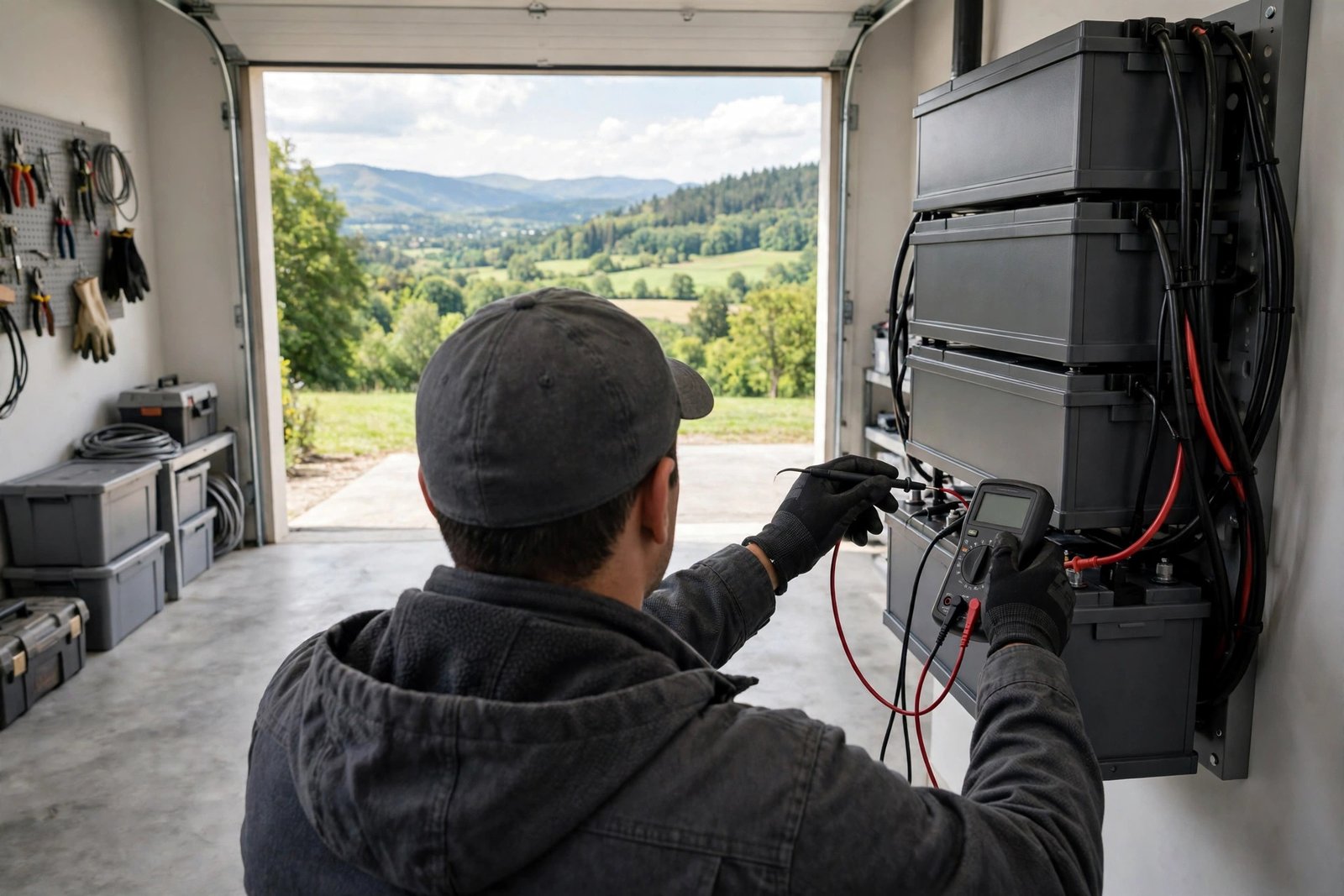
A multimeter can tell you more. Measure the battery voltage at rest (no charging, no load) and under load. A lead-acid battery that drops sharply in voltage as soon as a load is applied, or that recovers slowly when the load is removed, is usually sulphated or worn out. For a lead-acid battery, a hydrometer test of each cell is the most revealing check: a cell that reads much lower than the others is failing, and it will drag the whole battery down. Hydrometer testing involves opening the battery, so wear eye protection and gloves, and follow the manufacturer’s instructions.
For lithium batteries, the battery management system often reports the health of individual cells through the monitoring app. A cell that is much lower than the rest, or a pack that reports a much lower capacity than it did when new, points to a failing cell or pack.
If you do not have the tools or the confidence to test, a technician can do a proper load test and a cell-by-cell check in a single visit. That test is usually cheaper than replacing a battery that was never faulty, and it gives a clear answer rather than a guess.
Safety Reminders
- Never open a live battery bank or touch exposed wiring. Isolate the system at the DC isolator before touching terminals, and confirm with a meter that the circuit is dead.
- Lead-acid batteries contain sulphuric acid and produce hydrogen gas while charging. Wear eye protection and gloves, keep sparks and flames away, and make sure the area is ventilated.
- Never short-circuit a battery, and never connect a charger or a load with the wrong polarity. A shorted battery can explode or catch fire.
- Do not open a lithium battery pack. If a lithium battery is swollen, hot, leaking or smelling strange, isolate it, move away from it, and call a professional immediately.
- Do not work on the roof or on panels in wet or windy conditions, and do not step on panels.
- If you are unsure about any step, stop and call a qualified solar technician or electrician.
When to Call a Professional
Call a qualified solar technician or electrician if any of the following apply:
- The battery is swollen, cracked, leaking, very hot, or smells of rotten eggs or chemicals.
- You find melted terminals, burnt cables or a smell of burning anywhere in the system.
- The charge controller shows a fault code you cannot clear, or it has stopped working entirely.
- The battery fails a load test or a cell test, and you need to decide between repair and replacement.
- You need to move the battery bank, change the battery type, or change the charge controller settings and are not sure what the correct settings are.
- The panels or the wiring between the panels and the controller need testing — this involves working with high DC voltages on the roof.
- You have a lithium battery and suspect a faulty cell or a battery management system problem. Lithium packs should not be opened or repaired at home.
A professional can also check whether the whole system is still correctly sized for your household. If your energy use has grown since the system was installed, the right answer may be a bigger battery or more panels, not just a replacement battery of the same size. For a general guide on what you can safely do yourself and what needs a professional, see DIY solar repair vs hiring a pro.
FAQs
Why is my solar battery not holding a charge after a full day of sun?
The most common reasons are an ageing battery that has lost capacity, corroded or loose terminals, low water in a lead-acid battery, a charge controller set to the wrong battery type, or panels that are shaded, dirty or underperforming. Check whether the battery reaches full charge at sunset first — if it never gets full, the charging side is the problem; if it gets full and then drains fast, the battery is the problem.
How do I know if my solar battery is bad or if the panels are the problem?
Check your monitoring app or charge controller. If solar production on a sunny day is normal but the battery still runs flat early, the battery is the likely cause. If production is much lower than it used to be, the panels or the charge controller are the likely cause. A load test — charging fully, then timing how long the battery lasts under a known load — confirms it.
Can a solar battery be fixed if it won’t hold a charge?
Sometimes. Corroded terminals can be cleaned, low water can be topped up, wrong charge controller settings can be corrected, and early sulphation in a lead-acid battery can sometimes be improved with an equalization charge. But a battery that has lost capacity through age or deep sulphation cannot be restored to its original capacity, and it will need replacing.
How long should a solar battery hold its charge?
A healthy battery should hold its charge overnight and supply your normal evening load without dropping to empty. Lead-acid batteries typically last 3 to 7 years and lithium batteries 10 to 15 years, but heavy use, deep discharges and hot storage shorten those figures.
Will cleaning the battery terminals help it hold a charge?
Yes, if corrosion is the cause. Corroded terminals add resistance, which reduces the charging current and causes a voltage drop under load. Cleaning the terminals and tightening the connections is cheap, safe when done correctly, and often makes a noticeable difference.
Does cold weather stop a solar battery holding a charge?
Cold weather reduces the usable capacity of a battery, especially a lead-acid one, and some lithium batteries will not charge below freezing. The battery has not necessarily failed — its capacity returns when it warms up. Keep batteries in a cool, dry place that does not freeze.
Should I replace my solar battery or the charge controller first?
Test first, replace second. Check the charge controller settings and display, clean the terminals, check the water levels and test the battery under load. Replacing a battery when the controller was the problem wastes money, and replacing a controller when the battery is worn out wastes time. A technician’s load test gives a clear answer.
Conclusion
A solar battery that will not hold a charge after a full day of sun is frustrating, but it is rarely a mystery once you work through the checks in order. Start by finding out whether the battery is actually reaching full charge during the day — that one observation separates a charging problem from a battery problem. Then check the cheap fixes first: clean the terminals, check the water levels, confirm the charge controller settings, and look for shading or dirt on the panels. Many systems are fixed at this stage without spending anything.
If the simple checks do not help, test the battery under load. A battery that charges fully but drains fast has lost capacity, and if it is old, replacement is the honest answer — though it is worth confirming with a load test before spending money on a new one. And if anything looks damaged, swollen, hot or burnt, stop and call a professional. A solar system is a long-term investment, and a battery that is looked after, charged correctly and replaced at the right time will give you years of reliable service.