
Quick answer: Yes, summer heat can overheat your solar inverter — and when it does, your system produces less power or shuts down altogether. Inverters convert DC electricity from your panels into AC electricity for your home, and that conversion creates heat. On a hot day, especially if the inverter sits in direct sunlight or in a poorly ventilated spot, its internal temperature can climb high enough to trigger a safety shutdown or “derating,” where the inverter deliberately reduces its output to protect itself. The good news is that most overheating is preventable: give the inverter shade and airflow, keep its vents and fans clean, check for error warnings in your monitoring app, and make sure nothing is blocking the space around it. Never open the inverter casing or touch live electrical parts — if it keeps shutting down in the heat, call a qualified solar technician.
Table of Contents
- Why Summer Heat Matters for Solar Systems
- How an Inverter Overheats
- Warning Signs Your Inverter Is Overheating
- How Heat Affects Your Solar Panels Too
- How to Keep Your Inverter Cool: Step by Step
- Shading and Placement: Getting the Location Right
- Cleaning Vents, Fans, and Filters
- What to Do If Your Inverter Shuts Down in the Heat
- Monitoring Temperature and Output Through Summer
- When to Call a Professional
- FAQs

Why Summer Heat Matters for Solar Systems
Summer should be the best season for solar power. The days are long, the sun is high, and your panels get more light than at any other time of year. Yet many homeowners notice something odd: on the very hottest days, their system produces less electricity than on a bright, mild spring day. In many cases, heat is the reason.
Solar panels and inverters both lose efficiency as temperatures rise. Panels produce slightly less voltage when their cells get hot, and inverters — the box that converts your panels’ DC power into usable AC power — have to work harder and get hotter in the process. Most inverters are designed to handle this, with built-in fans, heat sinks, and temperature sensors. But when the air temperature climbs above 35–40°C (95–104°F), or when the inverter is mounted in direct sun on a south-facing wall, the cooling system can struggle to keep up.
The result is either reduced output or a complete shutdown. Neither means your system is broken, but both cost you electricity — and repeated overheating can shorten the life of the inverter over time. Understanding how heat affects your system, and taking a few simple steps before the hottest weeks arrive, can keep your solar system running well all summer.
How an Inverter Overheats
To understand overheating, it helps to know what an inverter does. Your solar panels produce direct current (DC) electricity. Your home runs on alternating current (AC). The inverter converts one to the other, many thousands of times per second, using electronic switches. That conversion is not perfectly efficient — a small percentage of the energy becomes heat inside the inverter itself.
On a normal day, the inverter sheds that heat through metal cooling fins (heat sinks) on its casing and, in many models, through an internal fan. The problem comes when several factors combine:
- High air temperature: The hotter the surrounding air, the harder it is for the inverter to dump its own heat. Cooling works on the temperature difference between the inverter and the air — when the air is already hot, that difference shrinks.
- Direct sunlight: An inverter mounted on a sun-facing wall absorbs solar radiation on top of its own internal heat. The casing can be 10–20°C hotter than the air temperature in full sun.
- High power output: The more power the inverter is converting, the more heat it makes. Midday in summer is both the hottest time and the time your panels are producing the most — so the inverter is under maximum load at maximum temperature.
- Poor ventilation: Inverters need clear space around them for air to circulate. If the inverter is boxed in, mounted in a small enclosed cupboard, or surrounded by stored items, hot air builds up around it.
- Dust and blocked vents: Dust, leaves, cobwebs, and insects can clog air vents and coat the heat sinks, acting like a blanket that traps heat inside.
When the internal temperature passes a safety threshold, most modern inverters protect themselves in one of two ways. The first is derating: the inverter deliberately reduces its power output, which reduces the heat it generates. You will see this as lower-than-expected production on a hot afternoon, even though the sun is shining. The second is a thermal shutdown: the inverter switches itself off entirely and displays a temperature or over-temperature warning until it cools down. It will usually restart on its own once the temperature falls — but if it happens every day, something needs attention.
Warning Signs Your Inverter Is Overheating
Overheating does not always announce itself with an alarm. Watch for these signs, especially during heatwaves:
- Lower output on hot afternoons: Production drops sharply in the early afternoon on the hottest days, then recovers in the evening as the air cools — even though the sun is still strong. Compare your monitoring app data with a cooler, equally sunny day to confirm the pattern.
- Repeated shutdowns: The system stops producing power in the middle of the day and restarts later, or it shuts down and stays off until the next morning.
- Temperature or over-temperature warnings: Your monitoring app or the inverter’s display shows a temperature warning, an over-temperature fault, or an error code related to heat. Check the meaning of any code in your inverter’s manual or our guide to common solar inverter error codes.
- A very hot casing: The inverter casing feels uncomfortably hot to the touch — too hot to keep your hand on for more than a second or two. Some warmth is normal, but a casing that burns to touch is a warning sign. Do not open the casing to check inside; the warning is enough.
- A fan running constantly or loudly: If your inverter has a cooling fan, it should cycle on and off. A fan that runs at full speed all day, or that makes a grinding or rattling noise, may be struggling — or failing.
- A burning smell: Any smell of burning plastic or hot electronics near the inverter is serious. Switch the system off at the AC isolator if you can do so safely, and call a qualified electrician or solar technician immediately. Do not open the inverter.
How Heat Affects Your Solar Panels Too
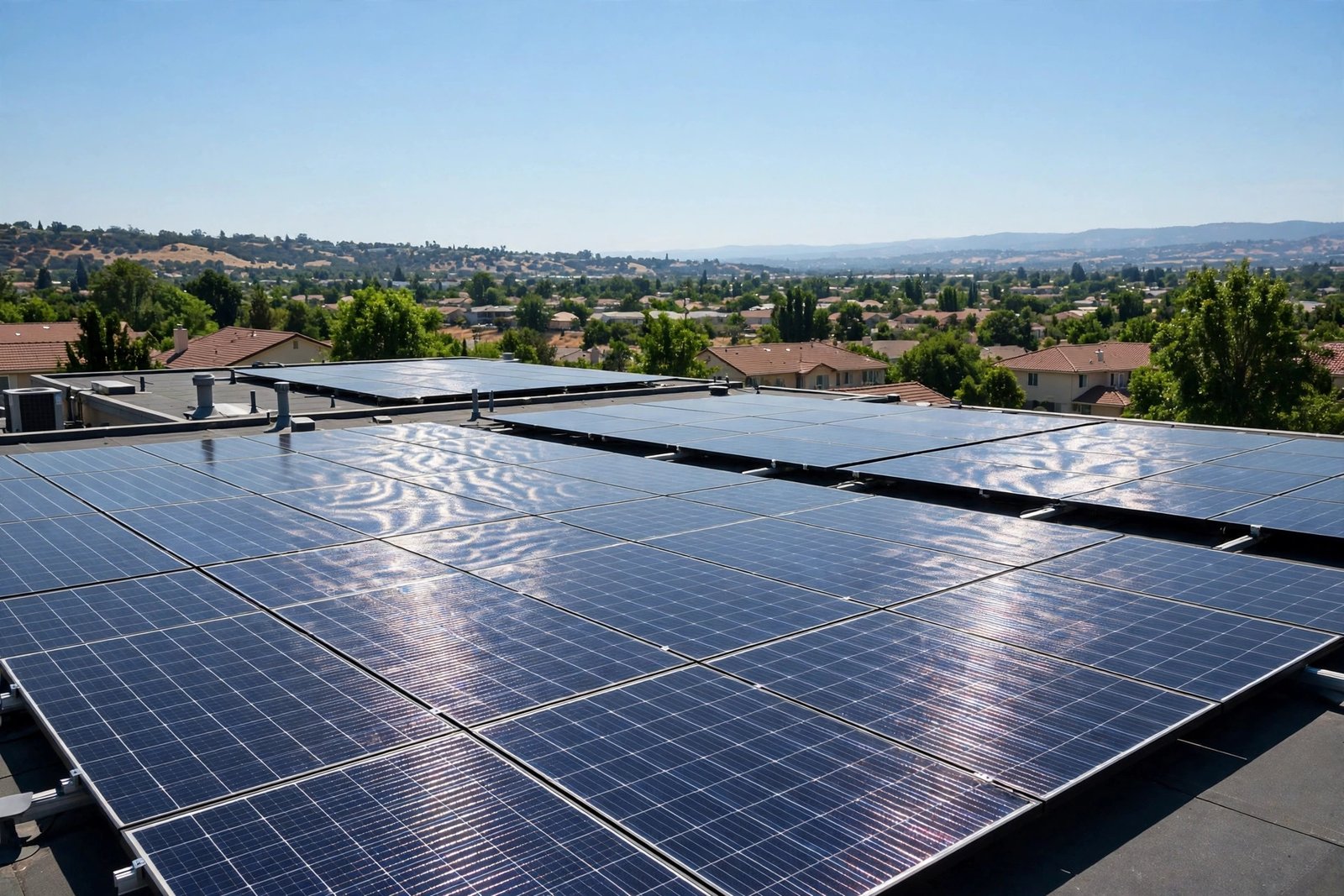
It is not only the inverter that suffers in the heat. Solar panels themselves lose efficiency as their cell temperature rises. As a general rule, a panel’s output falls by roughly 0.3–0.5% for every degree Celsius above 25°C (77°F) cell temperature — the exact figure depends on the panel model and is printed on its datasheet as the temperature coefficient.
On a hot summer day, the cells inside a rooftop panel can reach 60–70°C (140–158°F), even when the air is only 35°C. That means a panel can lose 10–20% of its rated output to heat alone. This is normal and expected — it is already factored into the long-term production estimates your installer gave you.
What this means in practice: if your system produces less on a 38°C day than on a 25°C day, that alone is not a fault. It becomes a problem only when the drop is much larger than the temperature effect explains, or when the inverter shuts down. If you are unsure whether your output is normal, our guide on why solar panels are not producing enough power walks through the checks step by step.
Panels also benefit from airflow underneath them. A panel mounted flush against a roof with no air gap runs hotter than one raised on rails with space for air to flow beneath. You cannot easily change the mounting of an existing system, but it is worth knowing: if you are planning a new installation, ask your installer about the air gap under the panels.
How to Keep Your Inverter Cool: Step by Step
Work through these steps before the hottest part of summer, or as soon as you notice heat-related shutdowns. All of them are safe for a homeowner — none require opening the inverter or touching live parts.
Step 1: Check the location and clear the space around it
Look at where your inverter is mounted. It should have clear space on all sides — most manufacturers recommend at least 30 cm (about 12 inches) of clearance above, below, and to the sides, and more in front. Move anything stored against or in front of it: boxes, garden tools, bins, and stored equipment all trap hot air. If the inverter is inside a small shed or cupboard, make sure that space is ventilated — a sealed cupboard in summer can be far hotter than the outside air.
Step 2: Give it shade
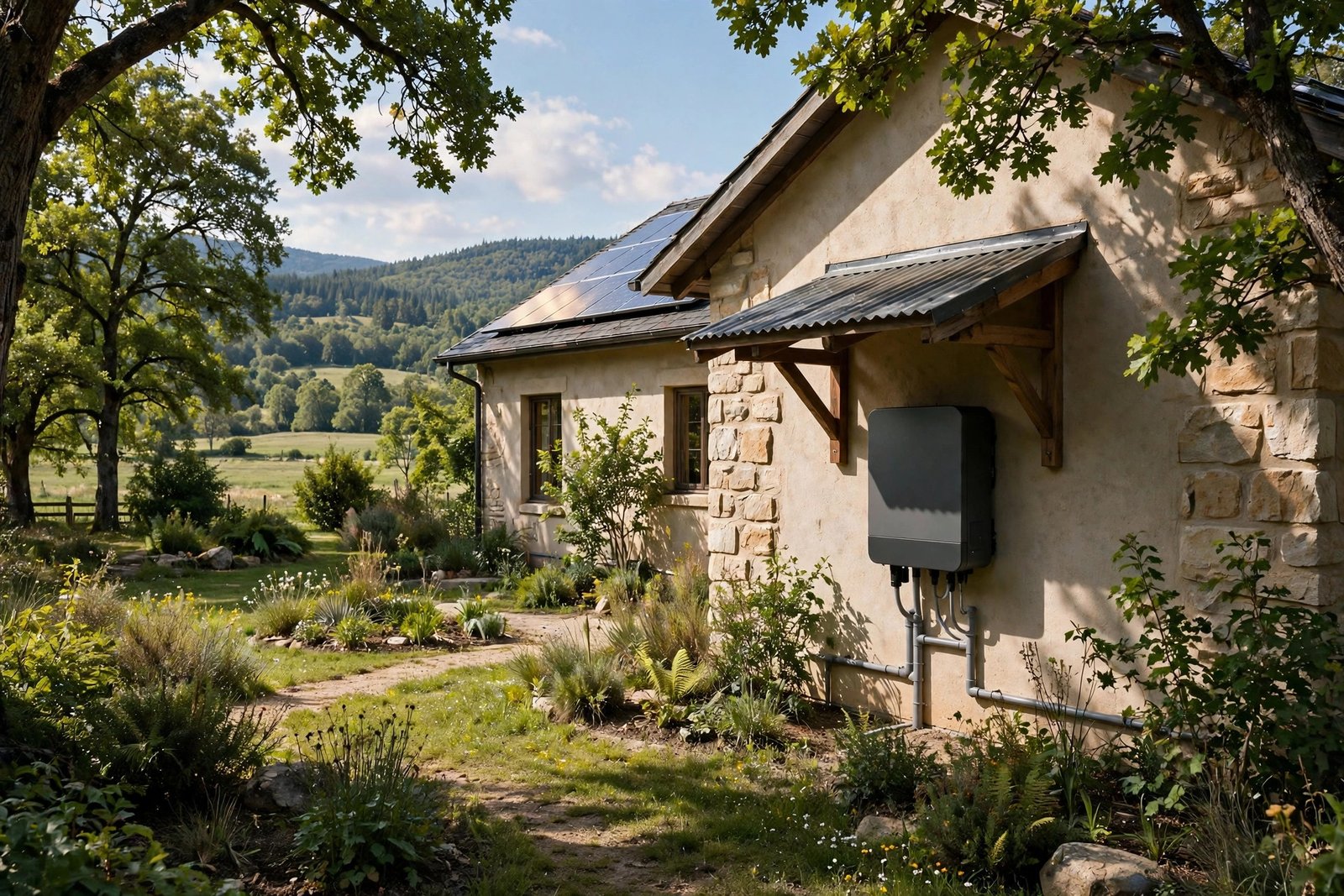
If your inverter sits in direct sun for much of the day, shading it is the single most effective fix. A simple canopy, awning, or small roof over the inverter can cut its casing temperature dramatically. The shade must not block airflow — a solid box around the inverter will make things worse. A roof or canopy above it, open on the sides, is ideal. Do not cover the inverter with a cloth, blanket, or tarpaulin: that traps heat and can be a fire risk.
Step 3: Clean the vents and heat sinks
With the system switched off at the AC isolator (follow your inverter’s shutdown procedure, and never open the casing), brush dust and cobwebs off the outside of the inverter and clear any leaves or debris from around the vents. Use a soft brush or a vacuum cleaner with a brush attachment. Do not use a pressure washer or a hose — water forced into the inverter can cause serious damage. If the vents look clogged inside the casing, leave that to a technician.
Step 4: Check the cooling fan
If your inverter has a fan, listen to it on a hot day. It should run smoothly when the inverter is working hard. A fan that does not run at all, or that rattles, grinds, or squeals, may need replacing. Fan replacement is a technician’s job — the fan is inside the casing, and opening the inverter exposes live parts.
Step 5: Check the monitoring app
Open your monitoring app and look at the inverter temperature reading, if your model shows one, along with daily production. Note the temperature and the output on hot days versus mild days. This record is useful evidence if you need to call a technician or claim under warranty — it shows whether the problem is a one-off heatwave or a recurring fault.
Step 6: Consider the time of day
If your inverter derates every afternoon but recovers by evening, the problem may be manageable with shade and ventilation alone. If it shuts down before midday, or stays off for hours, the inverter may be undersized for your array, badly located, or developing a fault — get it checked professionally.
Shading and Placement: Getting the Location Right
The best place for an inverter is a cool, shaded, well-ventilated spot — ideally indoors, such as a garage or utility room, or on a north-facing wall (in the Northern Hemisphere) that does not get direct afternoon sun. Unfortunately, many inverters are installed wherever was most convenient during the original installation, which is often a south-facing wall in full sun.
If your inverter is badly placed, you have a few options. The cheapest is a shade canopy, as described above. A more permanent fix is relocating the inverter to a cooler spot — but this involves extending DC and AC cabling and must be done by a qualified installer, so get a quote before deciding. Relocation is worth considering if your inverter shuts down regularly every summer, because repeated thermal shutdowns wear the electronics and reduce the inverter’s lifespan.
One warning: never move the inverter yourself, and never shade the panels to cool the inverter. Shading the panels reduces your power output — see our guide on how shading affects solar panel output for why that trade-off never pays. Shade the inverter, not the array.
Cleaning Vents, Fans, and Filters
Dust is the quiet enemy of inverter cooling. In dry, dusty summers, a fine layer of dust builds up on the heat sinks and inside the vents, insulating the very parts that need to shed heat. Some inverters have a removable dust filter — check your manual to see if yours does, and clean or replace it as the manufacturer recommends, usually every few months in dusty areas.
A simple seasonal routine works well:
- Spring: Before the hot season, brush off the outside of the inverter, clear the vents, and check the fan. Make sure the area around the inverter is clear and shaded.
- Mid-summer: Check again after a heatwave or a dusty spell. If output has dropped on hot days, look for blocked vents and dust build-up.
- Autumn: Clear leaves and debris from around the inverter and the panels, and check for any signs of heat damage, such as discoloured casing or a fan that sounds different from before.
While you are at it, check the panels too. Dust, pollen, and bird droppings on the glass reduce output and can make panels run hotter. Our guide to cleaning solar panels safely without scratching the glass explains how to do this without damaging the surface.
What to Do If Your Inverter Shuts Down in the Heat
If your inverter has shut down on a hot day, stay calm — this is usually a protective response, not a sign that the inverter is destroyed. Follow these steps:
- Do not open the inverter. The casing contains live electrical parts even when the system appears off. Never remove covers or touch internal components.
- Check the display or app. Note any error code or warning message and the time it appeared. This information helps a technician diagnose the fault.
- Check the obvious causes. Is the inverter in direct sun? Is anything blocking the vents? Is the fan running? Has something been stored against it?
- Let it cool. In most cases, the inverter will restart automatically once its internal temperature drops, often in the late afternoon or evening. Do not try to cool it with a hose or by pouring water on it — sudden cooling and water ingress can damage the electronics.
- Try a reset only if the manual allows it. Some inverters can be reset by switching them off at the AC isolator, waiting a few minutes, and switching them back on. Follow the exact procedure in your inverter’s manual, or our step-by-step guide on how to safely reset your solar inverter. If the inverter shuts down again soon after the reset, do not keep resetting it — call a technician.
- Check whether the whole system is down. If the panels are producing nothing at all on a sunny day, work through the checks in our guide on a solar system producing zero watts — the cause may be something other than heat, such as a tripped breaker or a grid outage.
If the inverter restarts and runs normally once the temperature falls, the problem is heat management — improve the shade and ventilation as described above. If it refuses to restart, shows the same error repeatedly, or smells of burning, leave it off and call a professional.

Monitoring Temperature and Output Through Summer
Your monitoring app is your best tool for spotting heat problems early. Most modern inverters report power output, and many also report internal temperature. A few minutes a week through the summer is enough:
- Compare like with like: Look at production on sunny days at similar temperatures. A gradual decline through the summer may be normal heat loss; a sudden drop on one hot afternoon is a warning sign.
- Watch the midday dip: If output climbs in the morning, then falls sharply around midday on hot days before recovering in the evening, that is the classic signature of derating.
- Set up alerts: Many monitoring apps let you set alerts for low production or inverter faults. Setting these up means you find out about a shutdown the same day, not at the end of the month when the bill arrives. See our guide to grounding and bonding issues for an example of a fault that monitoring can catch early — the same habit of checking applies here.
- Keep a simple log: Note the date, the maximum temperature, and the day’s production. Over a summer, this log shows whether the problem is getting worse — and it is useful evidence for a warranty claim if the inverter turns out to be faulty.
When to Call a Professional
Call a qualified solar technician or electrician if any of the following apply:
- The inverter shuts down repeatedly in hot weather, even after you have shaded it and cleared the vents.
- The inverter shows the same over-temperature error code again and again, or will not restart at all.
- The cooling fan does not run, makes grinding or rattling noises, or has stopped working.
- You smell burning, see smoke, or notice discolouration or melting on the casing or cables.
- The inverter is very old, undersized for your array, or was installed in a location that cannot be shaded or ventilated.
- You suspect an internal fault, a failed temperature sensor, or a problem with the wiring. Never open the inverter yourself — the capacitors inside can hold a dangerous charge even after the system is switched off.
A technician can test the fan and temperature sensor, check whether the inverter is correctly sized for your panel array, measure the actual operating temperature, and advise whether relocation or replacement is the right fix. If the inverter is still under warranty, a documented history of repeated thermal shutdowns strengthens your claim — so keep your monitoring records.
FAQs
Can a solar inverter overheat in summer?
Yes. Inverters generate heat while converting DC to AC, and on hot days — especially in direct sunlight or with poor ventilation — the internal temperature can rise enough to trigger derating (reduced output) or a protective shutdown. Most modern inverters handle this safely, but repeated overheating reduces output and can shorten the inverter’s life.
What temperature is too hot for a solar inverter?
Most residential inverters are rated to operate in ambient temperatures up to around 40–50°C (104–122°F), but the exact limit depends on the model — check your inverter’s datasheet. The internal temperature matters more than the air temperature: an inverter in direct sun can be 10–20°C hotter than the surrounding air. Above its rated limit, the inverter will derate or shut down to protect itself.
Why does my inverter shut down on hot days?
The most common reasons are direct sunlight on the inverter, poor ventilation, blocked vents or a failed fan, and high power output at the hottest time of day. The shutdown is a safety feature. Improve shade and airflow first; if shutdowns continue, have a technician check the fan, temperature sensor, and inverter sizing.
Do solar panels produce less power in extreme heat?
Yes. Panel output typically falls by about 0.3–0.5% for every degree Celsius above 25°C cell temperature. On a very hot day, panel cells can reach 60–70°C, so a 10–20% drop from the rated output is normal. This is separate from inverter overheating, but both effects happen at the same time on hot afternoons.
Should I shade my solar inverter?
Yes — shading the inverter is one of the most effective ways to prevent overheating. Use a canopy or awning above it that is open on the sides so air can circulate. Never enclose the inverter in a sealed box, and never cover it with cloth or a tarpaulin, which traps heat. Do not shade the solar panels themselves.
How can I cool my solar inverter down?
Give it shade and clear space for airflow, keep the vents and heat sinks clean, and make sure the cooling fan works. If it has already shut down, let it cool naturally and allow it to restart on its own — do not pour water on it or open the casing. If shutdowns keep happening, call a qualified solar technician.
Conclusion
Summer heat is a normal challenge for every solar system, not a sign that yours is faulty. Panels lose some efficiency when they get hot, and inverters work hardest at exactly the time of day when the air is hottest. A little preparation goes a long way: shade the inverter, keep air flowing around it, clean the vents before the hot season, and keep an eye on your monitoring app. Most heat-related problems are solved with those simple steps.
If your inverter keeps shutting down despite shade and ventilation, or if you notice a burning smell, a failed fan, or the same error code again and again, do not keep resetting it — call a qualified solar technician. A professional can check whether the inverter is the right size for your array, whether the fan and sensors are working, and whether relocation is worth the cost. With the right care, your inverter should give you many summers of reliable service.
Pingback: Solar Inverter Fan Noise or Overheating Fan Failure: How to Fix It - Solar Fixing Guide